How to Use VLESS gRPC TLS on Android
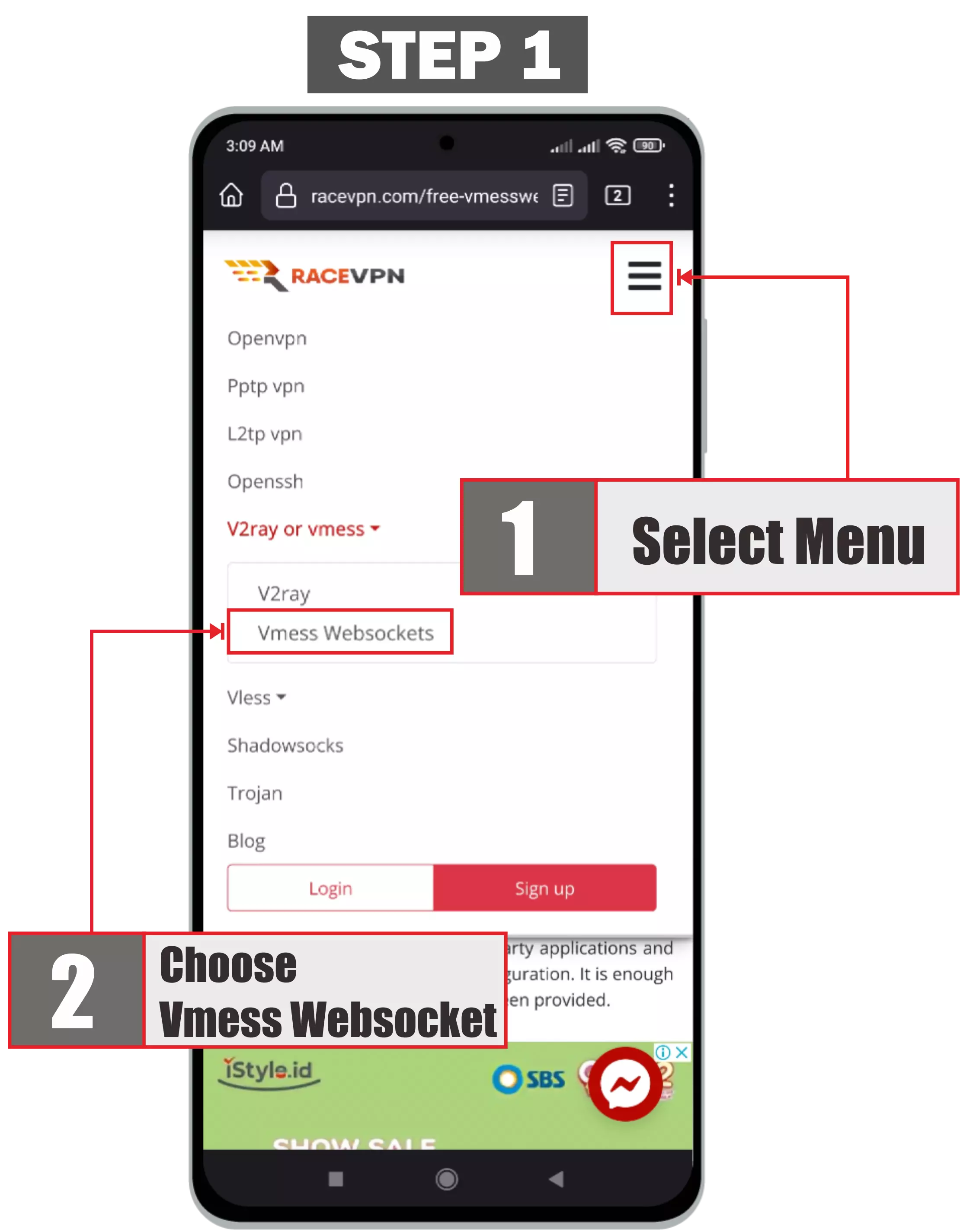
Learn how to use a RaceVPN VLESS gRPC TLS account on Android with a step-by-step setup guide, screenshots, troubleshooting, and FAQ.
About VLESS gRPC TLS
VLESS gRPC TLS uses VLESS over gRPC with TLS. It is a modern option for users whose clients support gRPC transport and TLS configuration.
Protocol note: Compared with VLESS TCP TLS, gRPC TLS uses gRPC transport and may work better only when the client fully supports gRPC.
What You Need
Step-by-Step Setup
Step 1: Install and Open the Client
Install a compatible Android client that supports VLESS gRPC TLS configuration links. Open the app and allow VPN permission when requested.

Step 2: Create a RaceVPN Account
Open the RaceVPN VLESS gRPC TLS server page, choose an available country server, and create a free account.
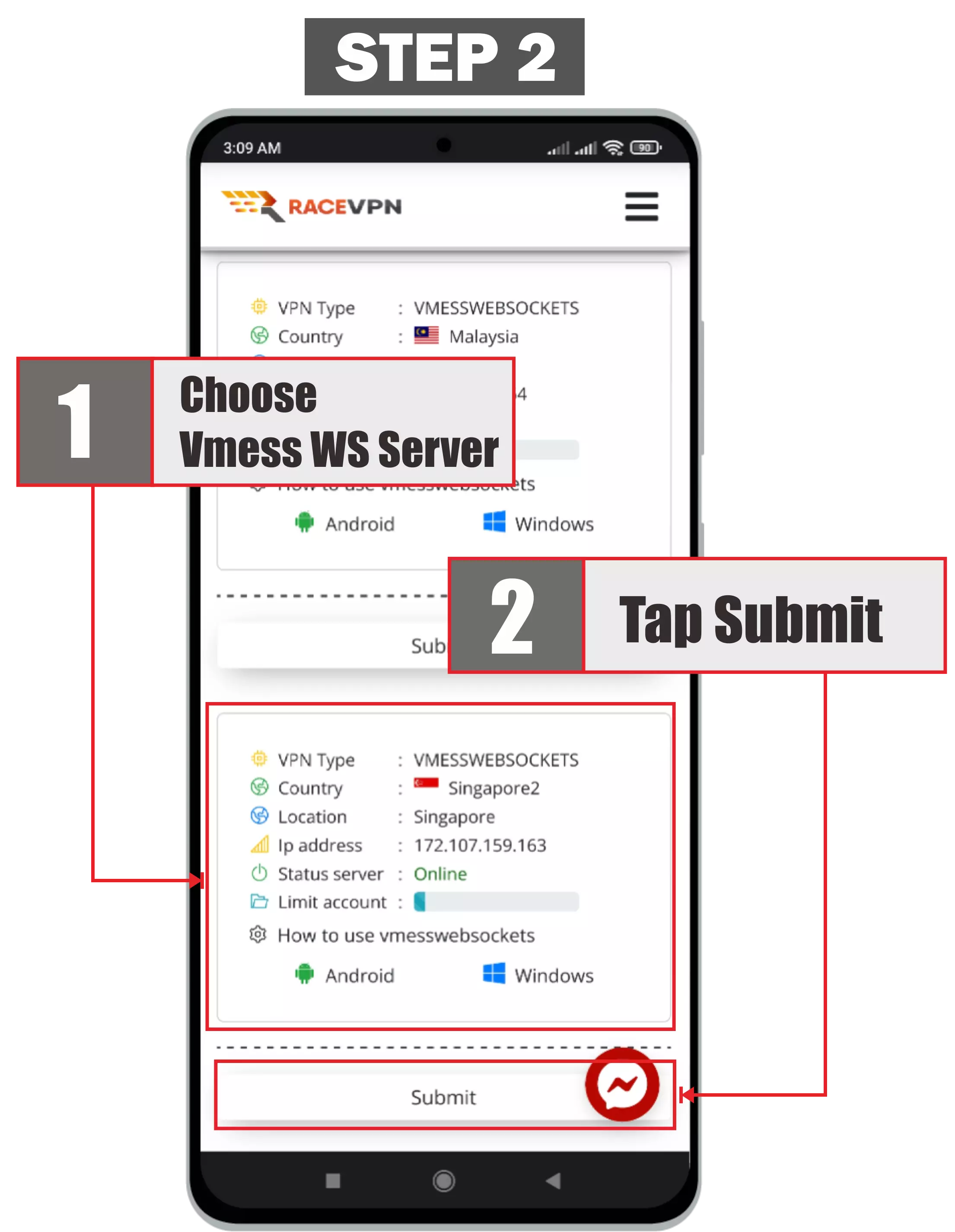
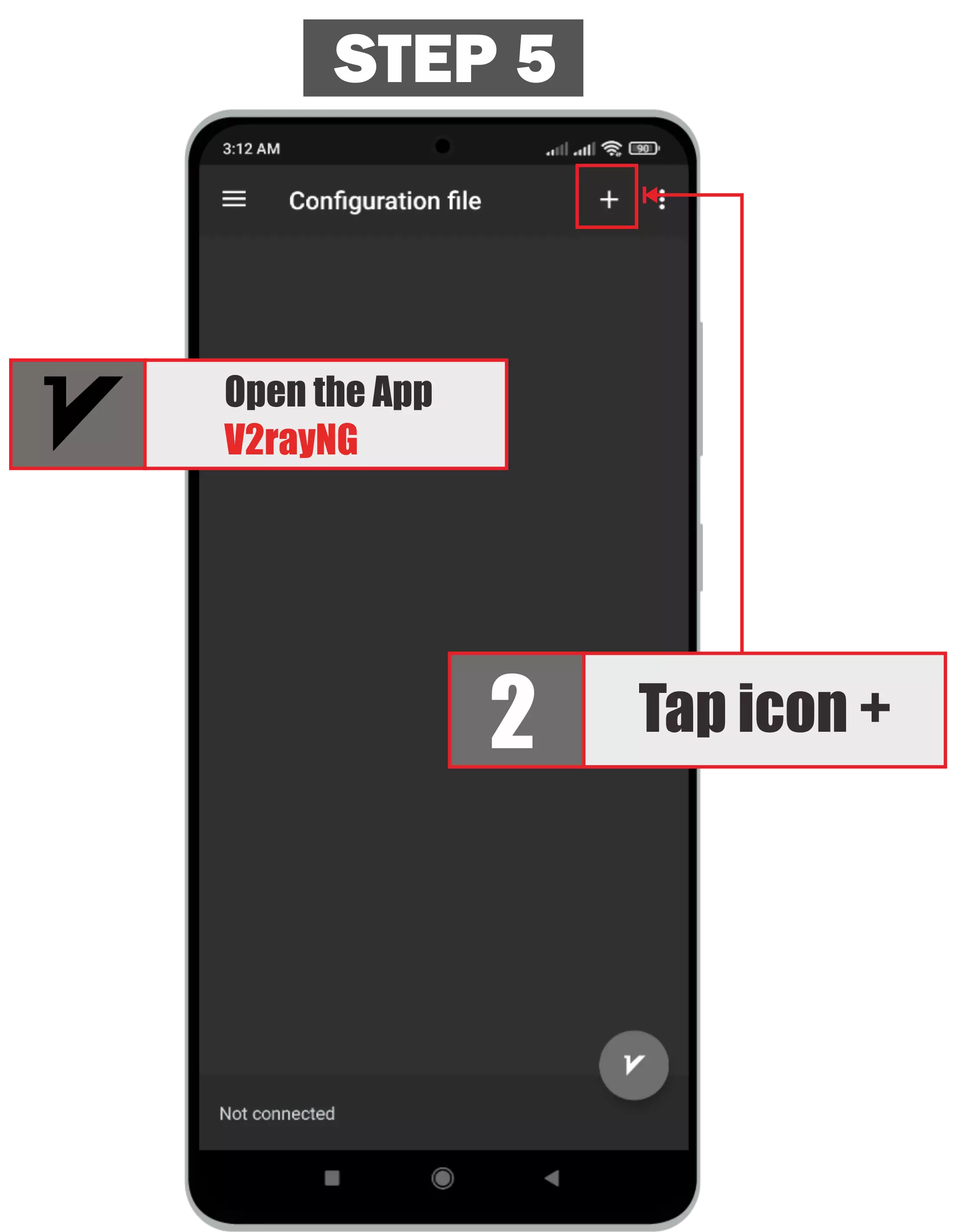
Step 3: Add a New Profile
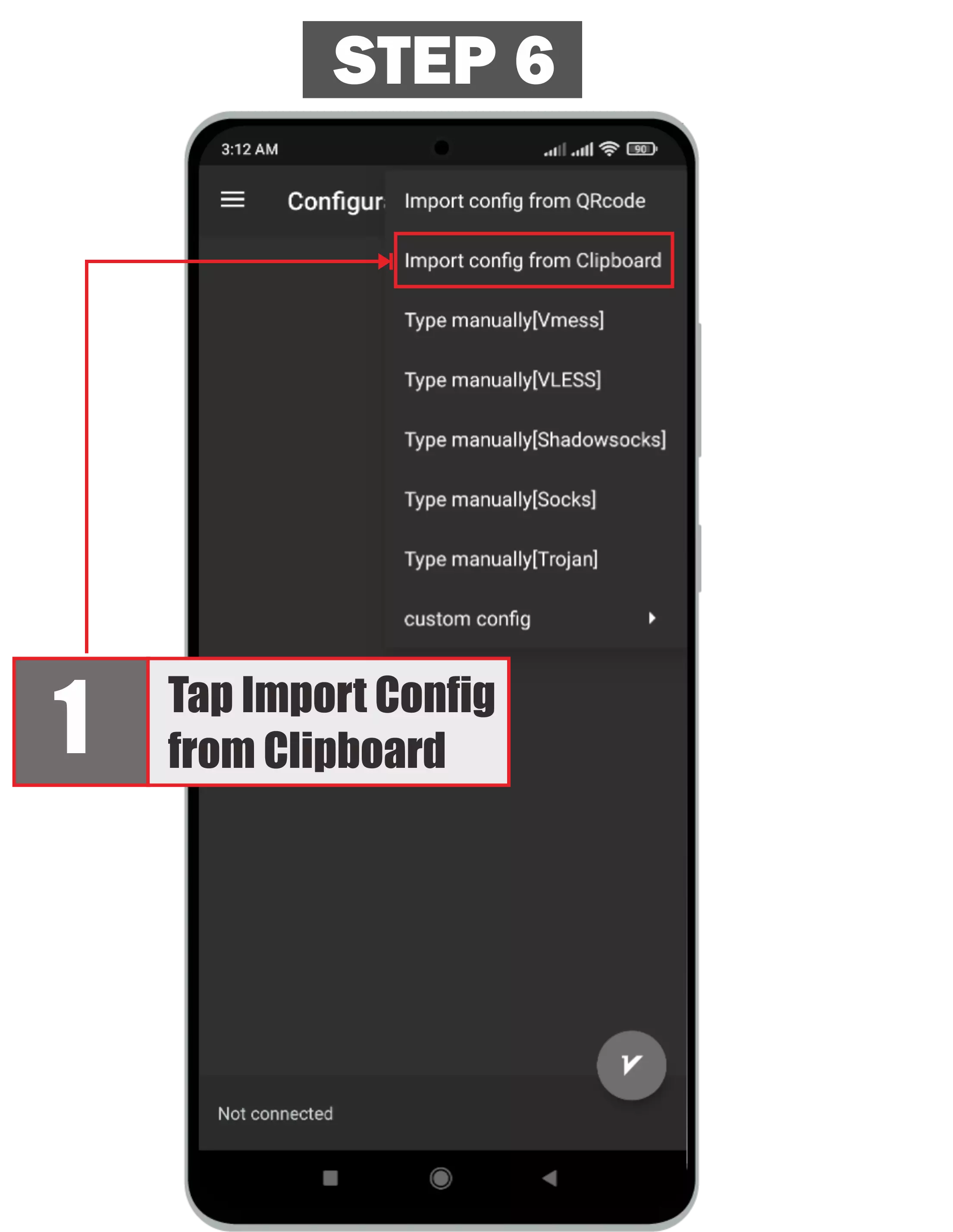
Tap the add button, usually shown as a plus icon, then choose scan QR code, import from clipboard, import URL, or add manually.
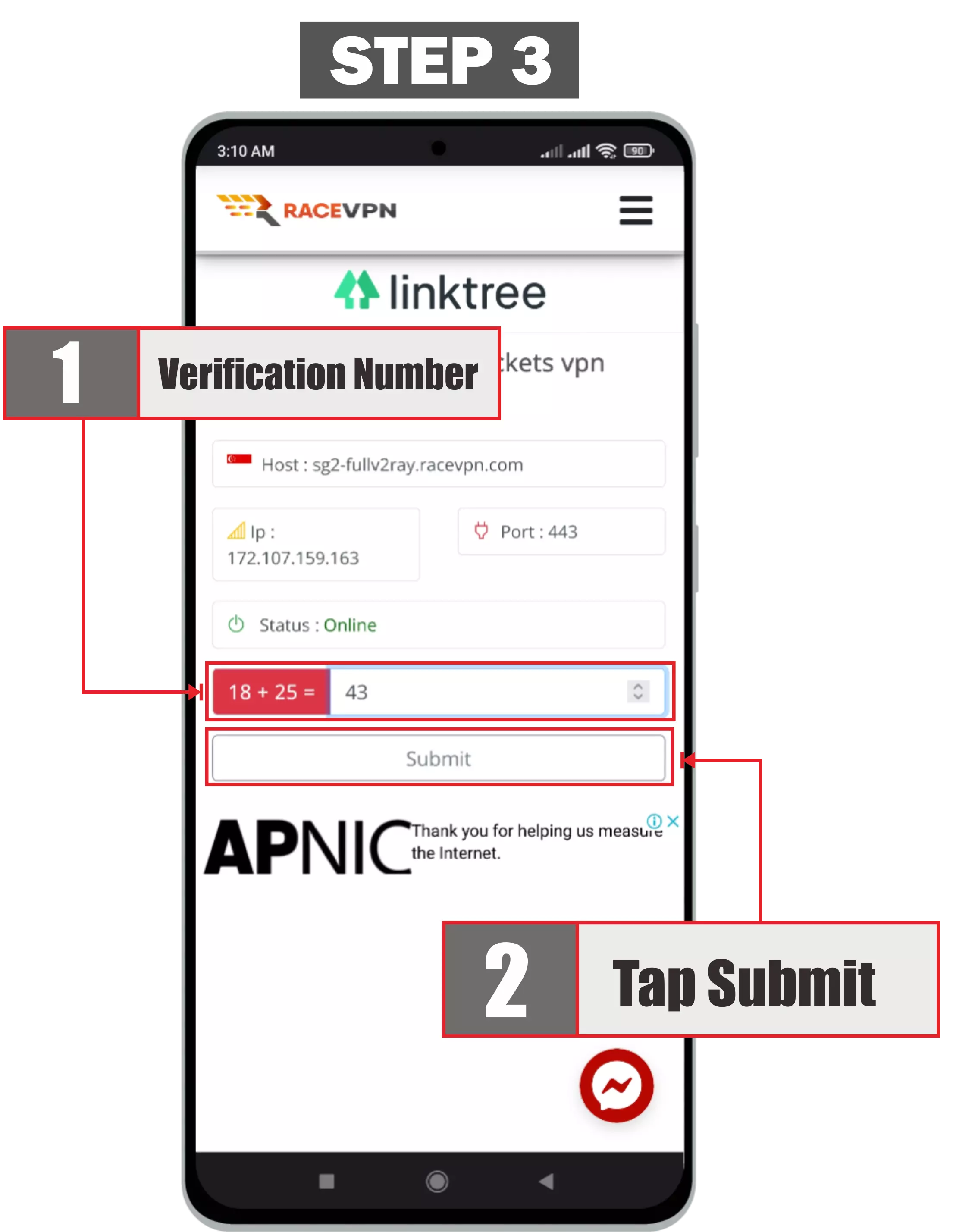
Step 4: Import URL or Scan QR Code
Import the RaceVPN VLESS gRPC TLS URL or scan the QR code shown on the account result page.
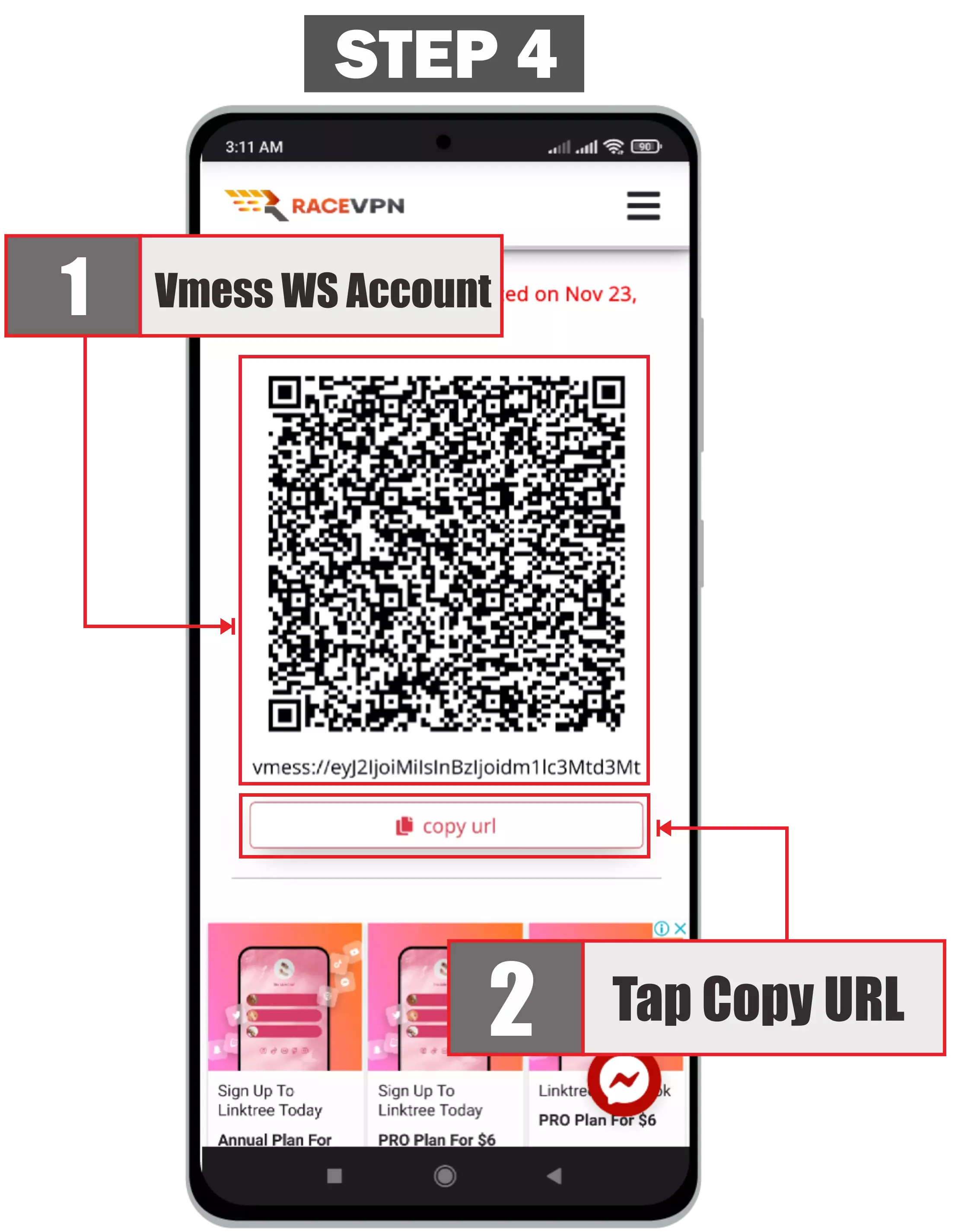
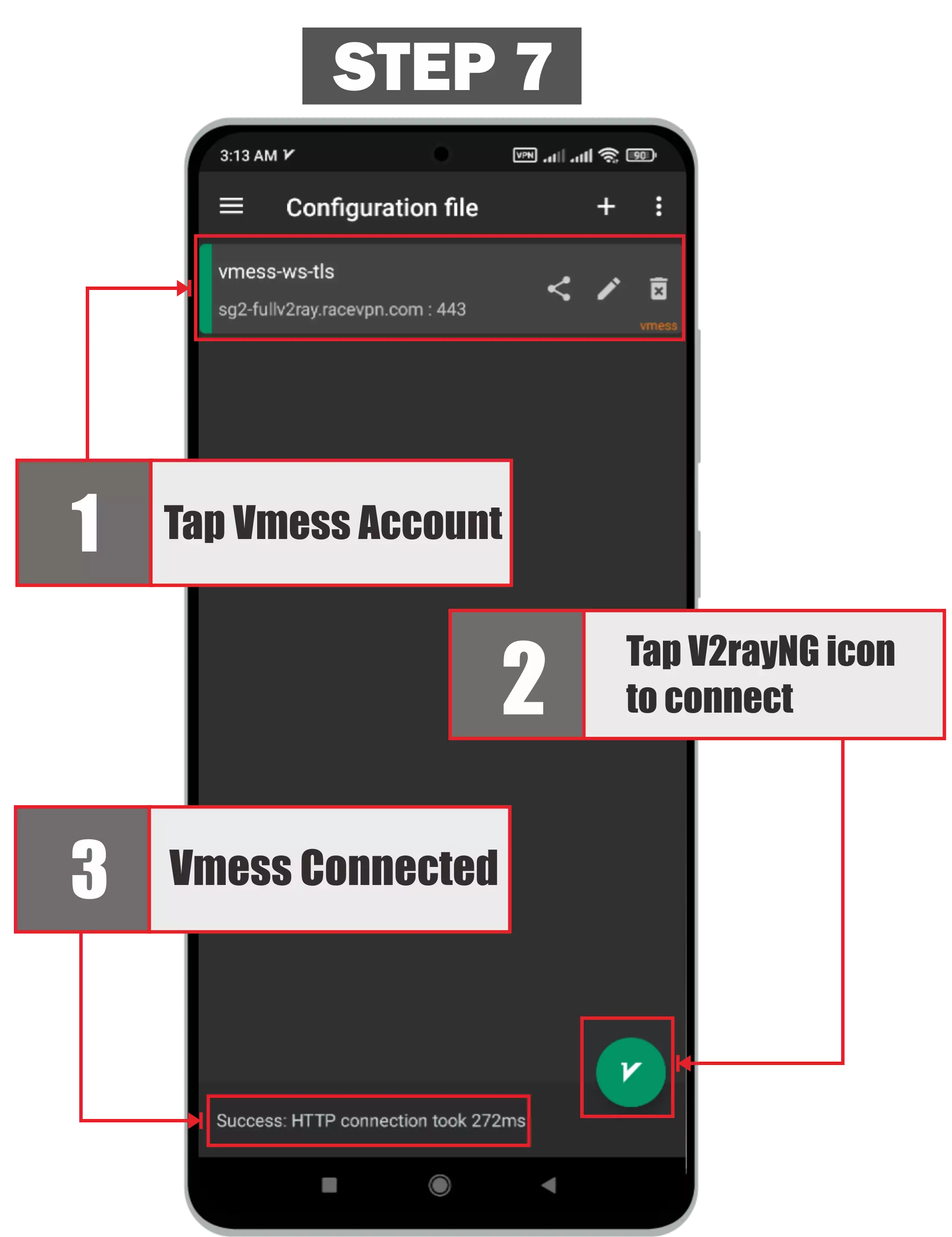
Step 5: Check the Imported Profile
After importing, check that the server profile appears in the app and the country or profile name is visible.
Step 6: Connect to the Server
Select the imported RaceVPN VLESS gRPC TLS profile and tap the connect button.
Step 7: Test the Connection
Open a browser or app and confirm that the connection works normally.
Troubleshooting
Create a Free VLESS gRPC TLS Account
Need a fresh VLESS gRPC TLS configuration? Visit the RaceVPN server page and create a free account from an available country server.
View Free VLESS gRPC TLS ServersFrequently Asked Questions
Common questions about using VLESS gRPC TLS on Android.
Can I use the same VLESS gRPC TLS account on many devices?
It is better to use one account for one device only, especially when the server applies connection limits.
Why does my VLESS gRPC TLS account stop working after a few days?
RaceVPN free accounts have an expiration period. Create a new account when the previous one has expired.
What should I check if VLESS gRPC TLS does not connect?
Check the account expiry, server status, imported URL, client support, and whether system proxy or tunnel mode is enabled.